
DLSS 5 Neural Rendering Runs on a Second GPU as Modder Revives Multi GPU Gaming
NVIDIA DLSS 5 Neural Rendering has been pushed into another unexpected configuration, with developer Marcelo Guibout demonstrating an experimental dual GPU setup that moves the demanding neural workload away from the graphics card rendering the game. Using 2 GeForce RTX 5060 Ti 16 GB cards and a custom ReShade add on called MGPU Bridge, the primary GPU handles conventional game rendering while the second GPU operates almost like a dedicated neural coprocessor.
The concept works because DLSS 5 Neural Rendering operates near the end of the graphics pipeline. NVIDIA describes DLSS 5 as a real time generative rendering stage that receives the rendered frame alongside motion vectors, temporal information, and artistic direction values before producing the final displayed appearance. MGPU Bridge takes advantage of that separation by transferring the completed frame to another graphics card, running Neural Rendering there, and displaying the finished result through a monitor connected directly to the second GPU.
Testing in The Blood of Dawnwalker at 1920 × 1080 demonstrates how significant the performance difference can become when Neural Rendering is removed from the primary graphics card.
| DLSS Mode | DLSS 5 Off | Neural Rendering on Primary GPU | Neural Rendering on Second GPU |
|---|---|---|---|
| DLAA | 67 to 70 FPS | 44 FPS | 67 to 70 FPS |
| Quality | 98 to 99 FPS | 54 to 55 FPS | 91 FPS |
| Performance | 127 to 131 FPS | 59 FPS | 106 to 107 FPS |
| Ultra Performance | 172 FPS | 69 to 71 FPS | 157 FPS |
The most dramatic example appears in Performance mode. Running Neural Rendering on the primary RTX 5060 Ti reduces performance to 59 FPS, while moving the workload onto the second RTX 5060 Ti raises performance to between 106 and 107 FPS. At DLAA, the second GPU configuration essentially restores the original 67 to 70 FPS result. The developer also measured the primary GPU running approximately 21°C cooler when the neural workload was moved to the second card, although thermal results will naturally depend on cooling, airflow, and system configuration.
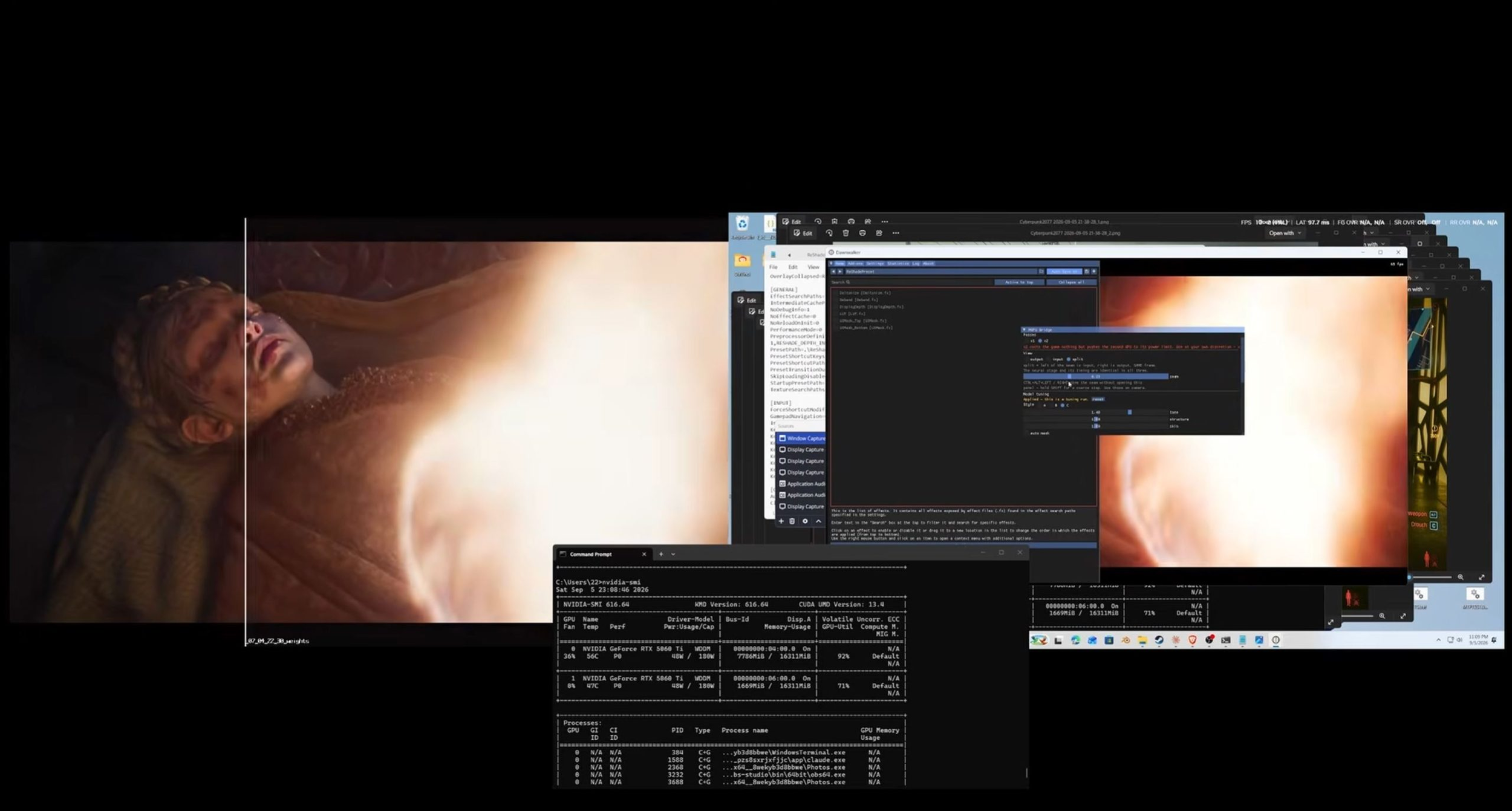
This is not a return of NVIDIA SLI in the traditional sense. Both graphics cards are not simultaneously dividing conventional rendering work. Instead, one GPU renders the game while the second exclusively processes the neural stage. That distinction could become increasingly relevant as gaming graphics incorporate heavier AI workloads that can potentially operate independently from rasterization and ray tracing.
The setup remains highly experimental. It currently requires DirectX 12, an add on compatible version of ReShade, 2 RTX 50 Series GPUs, and 2 monitors with one connected to each card. Only a pair of RTX 5060 Ti 16 GB cards has been fully tested, while RTX 40 Series and older GPUs are not currently supported by MGPU Bridge. Cyberpunk 2077 has also been demonstrated successfully, but the published performance measurements come from The Blood of Dawnwalker.
The experiment arrives just days after NVIDIA officially launched DLSS 5 in NBA 2K27. As previously look at DLSS 5 reaching 5 times faster Neural Rendering performance, NVIDIA has already reduced the computational requirements enough to move from an early demonstration requiring 2 RTX 5090 GPUs to production support across RTX 50 Series hardware. Community developers have since taken the technology considerably further, including running DLSS 5 on Radeon RX 9070 XT and forcing the model onto older GeForce architectures.
This may be one of the more interesting uses for a second GPU since traditional multi GPU gaming disappeared. Instead of attempting to divide the entire rendering workload, MGPU Bridge treats the second graphics card as a dedicated AI processor. That approach makes considerably more architectural sense for Neural Rendering because the workload already exists as a separate stage near the end of each frame.
Buying 2 RTX 5060 Ti cards specifically for DLSS 5 would hardly be economical today, but the concept opens a much bigger question. As neural graphics workloads become heavier, keeping an older GPU inside a system as a dedicated AI or neural coprocessor could eventually become useful rather than redundant.
Would you keep a second GPU in your gaming PC if it could handle DLSS Neural Rendering and restore most of the performance lost to AI graphics processing?
