
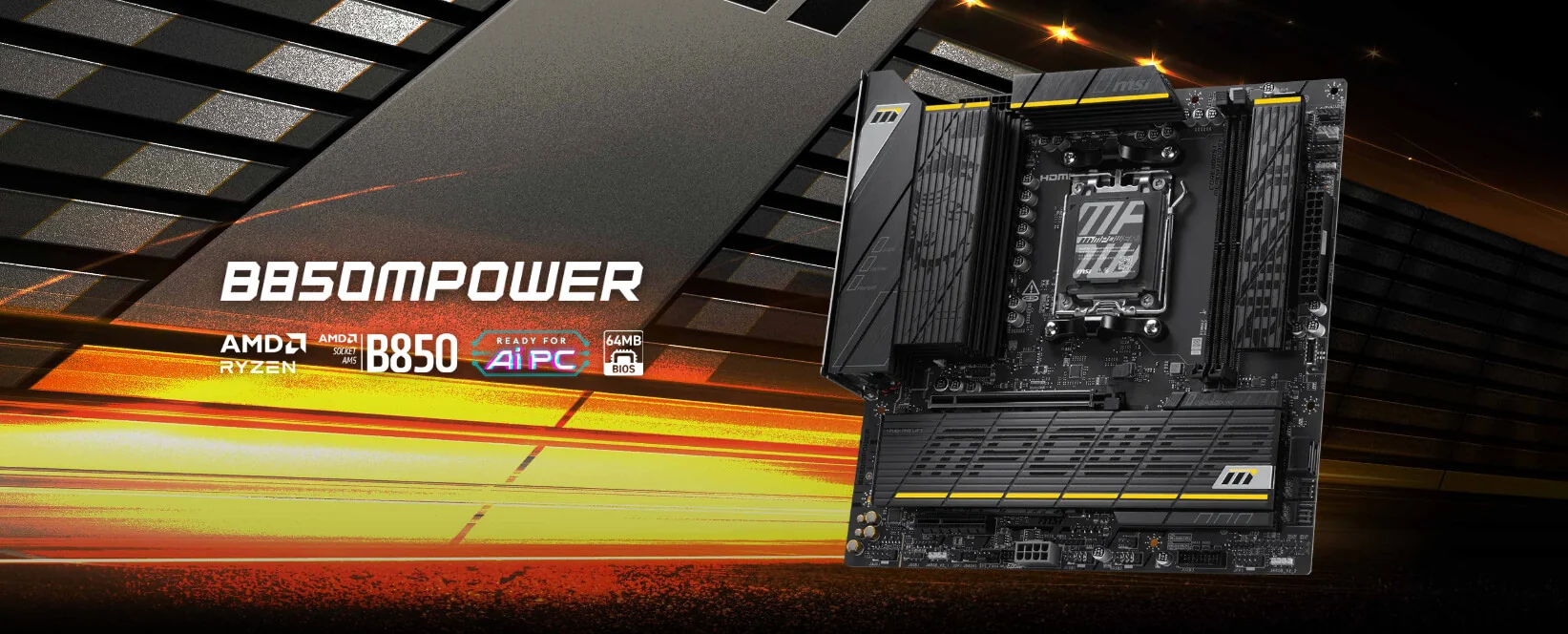
MSI says its High Efficiency Mode can reduce the latency of standard AMD EXPO DDR5 memory to nearly the same level as newer EXPO Ultra Low Latency kits. The motherboard feature automatically tightens selected memory timings through the BIOS, potentially giving existing AM5 users a lower cost alternative to replacing their current memory with a certified ULL kit.
AMD introduced EXPO Ultra Low Latency as an extension of its existing memory overclocking standard. Compatible kits contain validated profiles designed to apply tighter timings and improve responsiveness without requiring users to manually configure every value. AMD claims certified EXPO ULL memory can provide an average 4% gaming performance improvement over conventional EXPO memory across its selected test suite.
However, early retail pricing created a substantial barrier for PC builders. As previously reported, the first G.Skill EXPO ULL kits reached prices as high as 1,099.99$, with several models carrying large premiums over standard EXPO kits using the same capacity, transfer rate, and primary CAS latency. MSI is now positioning High Efficiency Mode as a way for users to receive much of the latency improvement without purchasing new memory.
MSI tested 2 G.Skill 32 GB DDR5 6000 kits on an MSI B850MPOWER motherboard with an AMD Ryzen 7 9800X3D. The standard EXPO kit used CL30 38 38 96 timings and recorded 79.4 ns in the AIDA64 memory latency benchmark. The EXPO ULL kit used CL30 38 38 32 timings and recorded 71.4 ns.
After enabling the Tightest High Efficiency Mode preset, the standard EXPO kit improved to 71.6 ns. This represents an approximately 9.8% reduction from its original result and places it only 0.2 ns behind the EXPO ULL configuration. Applying the same feature to the ULL kit reduced its latency only slightly, from 71.4 ns to 71.1 ns, showing that the certified profile had already applied most of the available timing optimization.
| Memory Configuration | High Efficiency Mode Disabled | High Efficiency Mode Enabled | Latency Improvement |
|---|---|---|---|
| Standard EXPO DDR5 6000 CL30 38 38 96 | 79.4 ns | 71.6 ns | Approximately 9.8% |
| EXPO ULL DDR5 6000 CL30 38 38 32 | 71.4 ns | 71.1 ns | Approximately 0.4% |
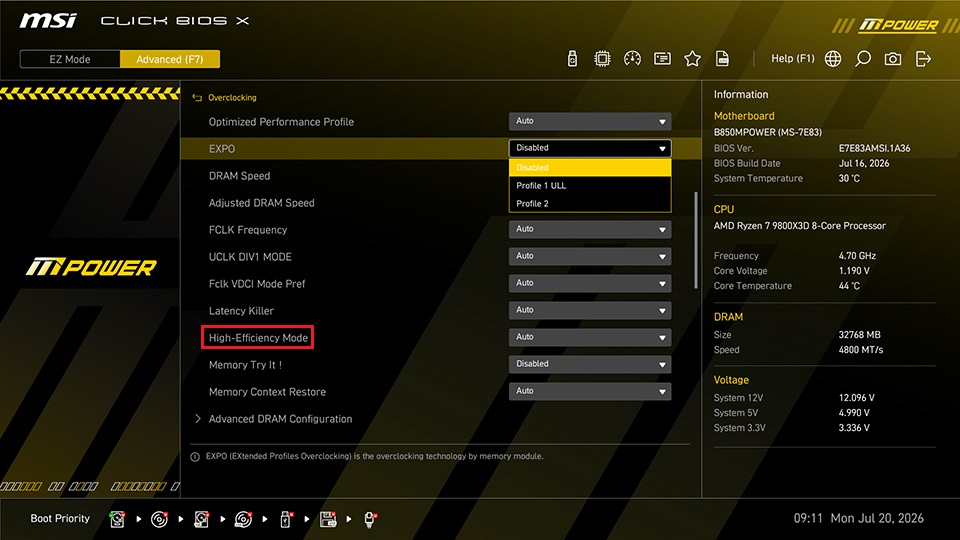
High Efficiency Mode includes 4 presets named Tightest, Tighter, Balance, and Relax. Tightest applies the most aggressive timing configuration, while Relax uses more conservative parameters for memory modules with less overclocking headroom. Users experiencing instability can move toward a less aggressive preset rather than disabling the feature completely.
| Preset | Timing Behavior | Recommended Use |
|---|---|---|
| Tightest | Most aggressive timing optimization | Strong memory kits with proven stability |
| Tighter | Aggressive optimization with additional stability margin | Performance focused daily systems |
| Balance | Moderate timing optimization | General gaming and productivity systems |
| Relax | Most conservative preset | Kits with limited tuning headroom |
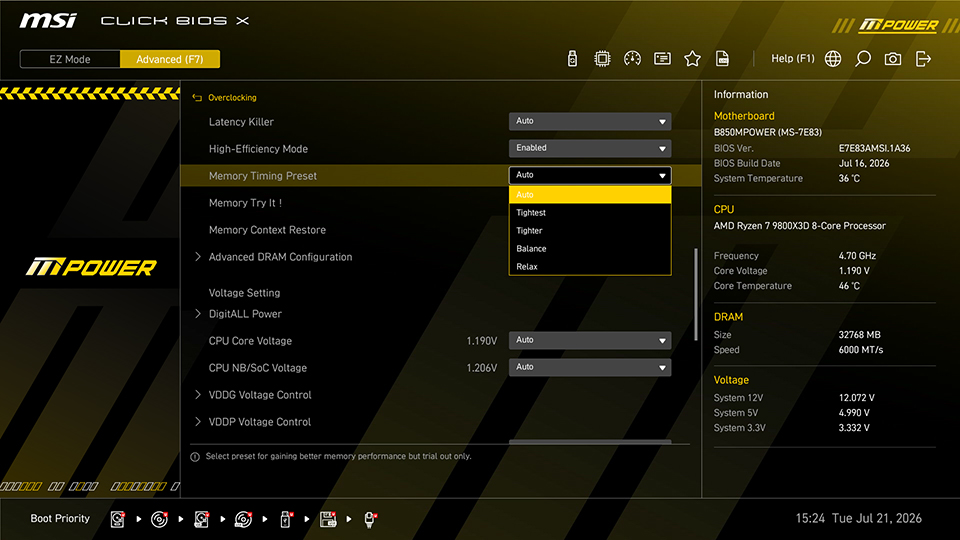
The feature is available through MSI Click BIOS X under the overclocking settings on supported motherboards. MSI advises users to install the latest compatible BIOS, particularly when using EXPO ULL memory, because firmware support is required for the ULL profile to be identified correctly.
High Efficiency Mode is not a new concept within the MSI ecosystem. The company has previously used it alongside AMD Optimized Performance Profiles and Memory Try It to reduce DDR5 latency and improve processor limited gaming performance. Earlier MSI testing showed that combining the Tighter preset with AMD OPP reduced latency by approximately 8% and improved selected games by between 2% and 8% at 1080p, although results depended heavily on the processor, memory, motherboard, and game.
MSI also warns that timing optimization is a form of memory overclocking and may cause instability. Passing the Windows desktop or completing a short benchmark does not guarantee that a configuration is fully stable. Users should test demanding games, memory diagnostic tools, and longer workloads before relying on the Tightest preset for daily operation. Performance may also differ from MSI’s demonstration because memory chip quality, processor memory controllers, motherboard layout, capacity, and module count can all influence the result.
MSI’s results demonstrate that much of the EXPO ULL advantage comes from timing optimization rather than a higher memory transfer rate. For users who already own a capable DDR5 6000 EXPO kit, a BIOS level tuning option could provide better value than replacing the memory solely to gain a certified ULL profile.
The comparison should still be treated as a controlled manufacturer test rather than a universal result. MSI used 2 specific G.Skill kits, a Ryzen 7 9800X3D, and its B850MPOWER motherboard. Other memory chips, capacities, processors, and motherboards may not sustain the Tightest preset or reach the same 71.6 ns result.
EXPO ULL continues to offer an important advantage through official module validation and easier configuration. MSI High Efficiency Mode instead gives enthusiasts a flexible path to similar performance, but the user assumes more responsibility for stability testing. In a market where DDR5 prices may remain elevated for another 2 years, improving an existing kit through firmware could become significantly more attractive than purchasing another premium memory set.
Would you use MSI High Efficiency Mode with standard EXPO memory, or would you prefer the validation and simplicity of a certified EXPO ULL kit?
