
Experimental OptiScaler Mod Cuts DLSS 5 Neural Rendering Performance Cost Nearly in Half
DLSS 5 Neural Rendering remains a demanding graphics workload even after NVIDIA dramatically optimized the technology for its commercial debut, but a new community experiment suggests another substantial performance improvement may be possible simply by changing where Neural Rendering operates inside the graphics pipeline.
An experimental OptiScaler DLSS Neural Rendering build can process Neural Rendering before DLSS Super Resolution instead of applying the neural pass to the completed upscaled image. In a 4K setup using DLSS Performance mode, this means DLSS 5 can operate on the internally rendered 1920 × 1080 image before Super Resolution reconstructs it to 3840 × 2160. Processing roughly one quarter of the final pixel count can substantially reduce the computational workload required by the neural model.
The performance difference was demonstrated by Reddit user Sad Victory 8319 while testing Resonance: A Plague Tale Legacy on a GeForce RTX 5070 Ti. According to the original Reddit test, the game was running around 180 FPS at 4K using DLSS Performance before DLSS 5 was enabled. Applying Neural Rendering through the conventional post upscale approach reduced performance to around 80 FPS, representing a performance cost close to 55% to 65%. Moving the Neural Rendering pass before Super Resolution reduced the reported penalty to approximately 25% to 30%.
| Configuration | Approximate FPS | Neural Rendering Cost |
|---|---|---|
| DLSS 5 Off | 180 FPS | Baseline |
| DLSS 5 After Super Resolution | 80 FPS | Around 56% |
| DLSS 5 Before Super Resolution | 122 FPS | Around 25% to 30% |
The tester also shared a more directly comparable scene where performance decreased from 172 FPS without Neural Rendering to 122 FPS with the new pre upscale configuration. The user described the resulting lighting and shadows as more realistic while considering the visual difference acceptable compared with the substantially larger performance cost of processing DLSS 5 after the image had already been reconstructed to 4K.
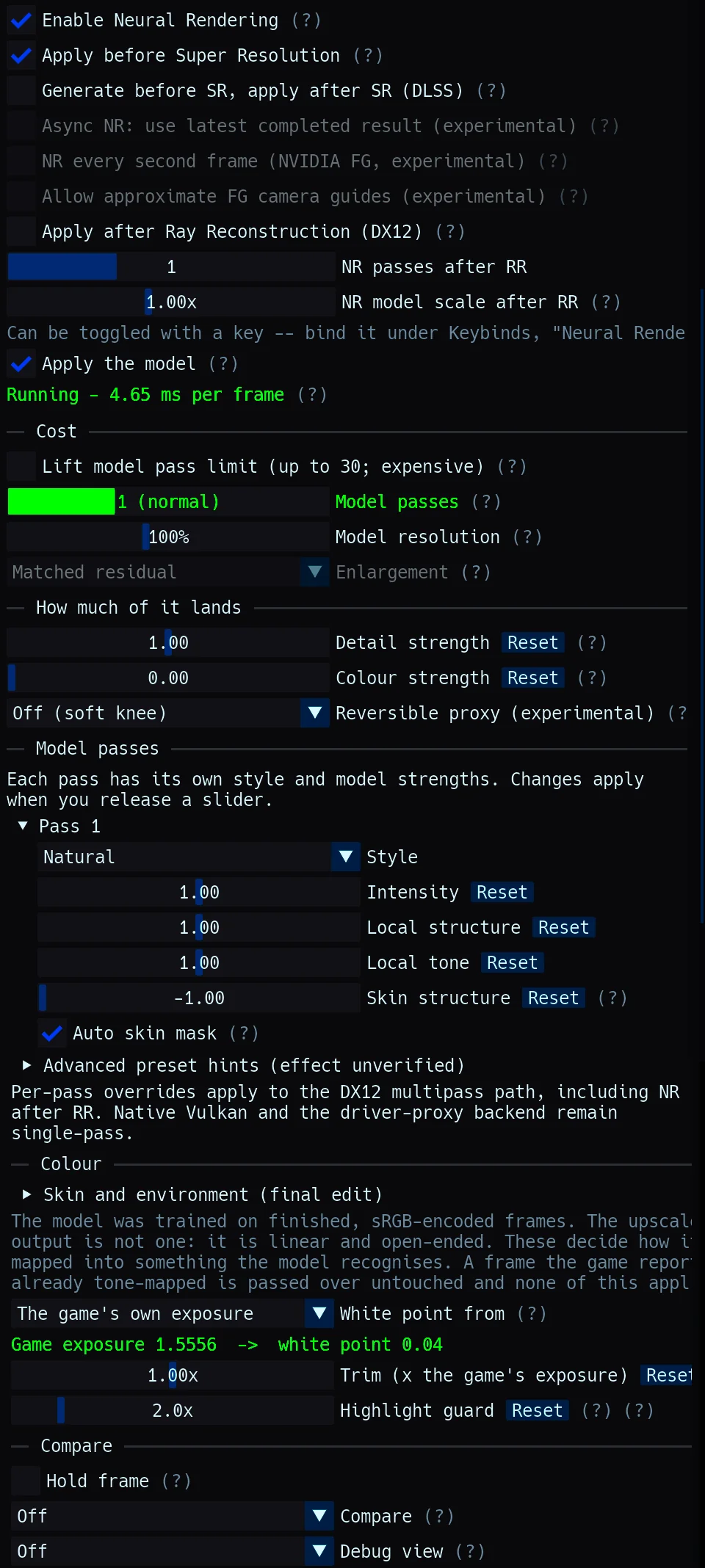
This does not make the technique universally superior. Community testing within the same discussion reports that results can vary substantially depending on internal rendering resolution and the game being modified. Some users reported better temporal stability with the pre upscale approach in titles including Final Fantasy VII Rebirth and Kingdom Come Deliverance II, while others observed pixel crawling, dithering or additional artifacts in different games. Lower internal resolutions can also give the neural model considerably less information to work with, making image quality increasingly dependent on the selected DLSS preset.
The rapidly evolving community ecosystem is becoming easier to access through DLSS 5 Autopilot, an unofficial Windows utility designed to automate the process of bringing DLSS 5 Neural Rendering into games that never shipped with native support. Instead of requiring users to manually determine which injection method a game needs, Autopilot scans installed game libraries, examines executables and graphics APIs, detects the installed RTX architecture and selects compatible installation routes.
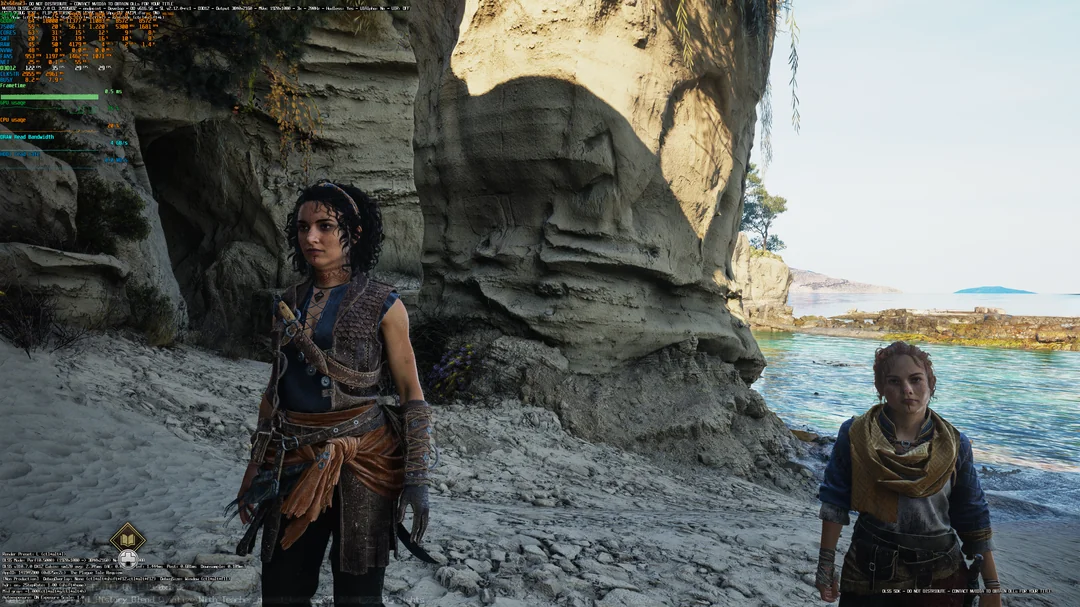
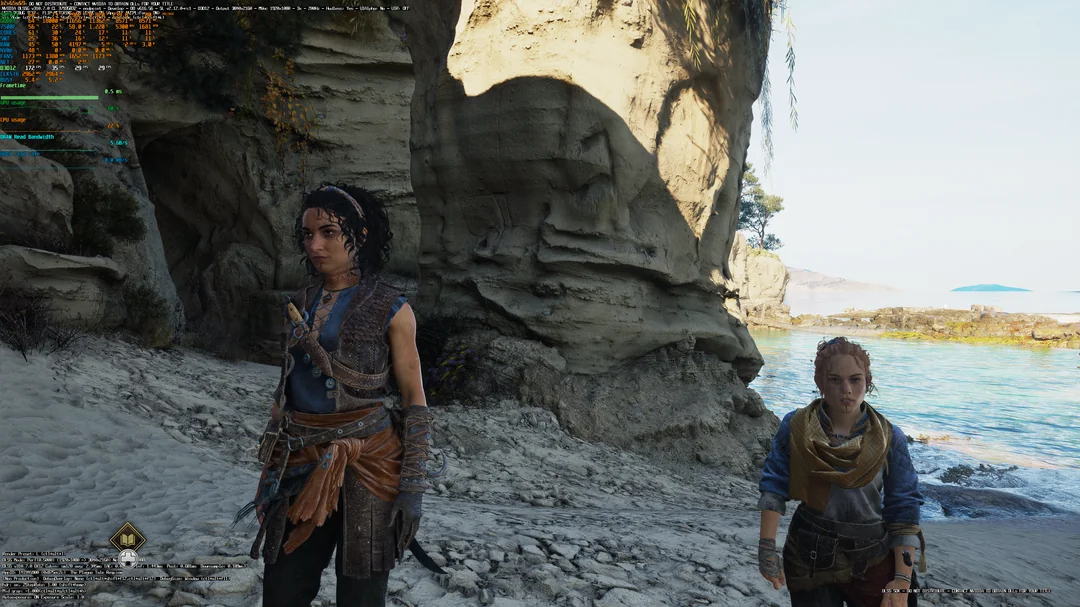
Autopilot currently supports multiple approaches including native DLSS hooking, Neural Rendering before the game's own upscaler through its neural upstream route, several OptiScaler configurations, bridge implementations for DirectX 11 and Vulkan titles, and feeder methods for games without DLSS integration. Its current component list also includes the OptiScaler DLSS Neural Rendering pre Super Resolution multipass fork responsible for the latest experiment. The tool supports NVIDIA RTX 20 Series and newer GPUs through different community runtime builds, although performance varies significantly between architectures.
Importantly, DLSS 5 Autopilot does not package NVIDIA binaries, game files or the third party projects themselves. Its repository contains the automation and installer logic, while required components are retrieved from their respective publishers at runtime. It can also remove the files it installed and restore files it replaced, making experimentation significantly more approachable than manually assembling multiple community projects.
The OptiScaler implementation also supports configurable Neural Rendering passes, providing another way to balance visual transformation against GPU cost. Community developers are effectively experimenting with where Neural Rendering should sit within an increasingly complicated rendering chain containing rasterization, ray tracing, denoising, Ray Reconstruction, Super Resolution and Frame Generation.
The placement becomes particularly complicated in games using path tracing. Running Neural Rendering before Super Resolution can reduce the workload dramatically, but moving it ahead of Ray Reconstruction could expose the neural network to noisy unresolved path traced information. Several users testing Cyberpunk 2077 and other heavily ray traced titles reported different results depending on whether Neural Rendering was processed before or after reconstruction, showing that the ideal configuration may vary significantly between rendering engines.
The experiment follows NVIDIA's commercial release of DLSS 5 Neural Rendering. As covered with the DLSS 5 launch in NBA 2K27, NVIDIA says its production model already operates approximately 5 times faster than the research implementation demonstrated earlier in development. The community is now exploring how much further that cost can be reduced by changing resolution, processing order and the way DLSS 5 is injected into existing games.
Another experiment has taken an entirely different approach by running DLSS 5 Neural Rendering on a secondary GPU, allowing one graphics card to handle conventional rendering while another processes the neural workload. Together, these projects demonstrate how quickly enthusiasts are exploring alternative ways to make Neural Rendering practical outside NVIDIA's officially supported implementations.
Processing DLSS 5 before Super Resolution may be one of the most straightforward optimizations demonstrated by the community so far. Instead of throwing additional GPU resources at a costly full resolution neural pass, the technique simply reduces the number of pixels the network needs to process before letting DLSS reconstruct the final image.
The reported improvement from a roughly 55% to 65% performance penalty down to around 25% to 30% on an RTX 5070 Ti is substantial, but image quality remains the critical variable. A neural network working with a 1080p source naturally has less information available than one operating on the completed 4K image, and the community results already show that some games respond significantly better than others.
DLSS 5 Autopilot also changes the accessibility of this experimentation. What previously required manually combining several community tools can increasingly be configured through a single utility that identifies the game, GPU and appropriate injection method. None of these implementations are official NVIDIA solutions, but they provide a fascinating look at how much optimization may still exist inside the Neural Rendering pipeline.
Would you run DLSS 5 before Super Resolution for a much smaller performance penalty, or would you keep Neural Rendering at full output resolution to prioritize maximum image quality?
