
Claude Helps Build macOS Support for an HP Printer That Never Had a Mac Driver
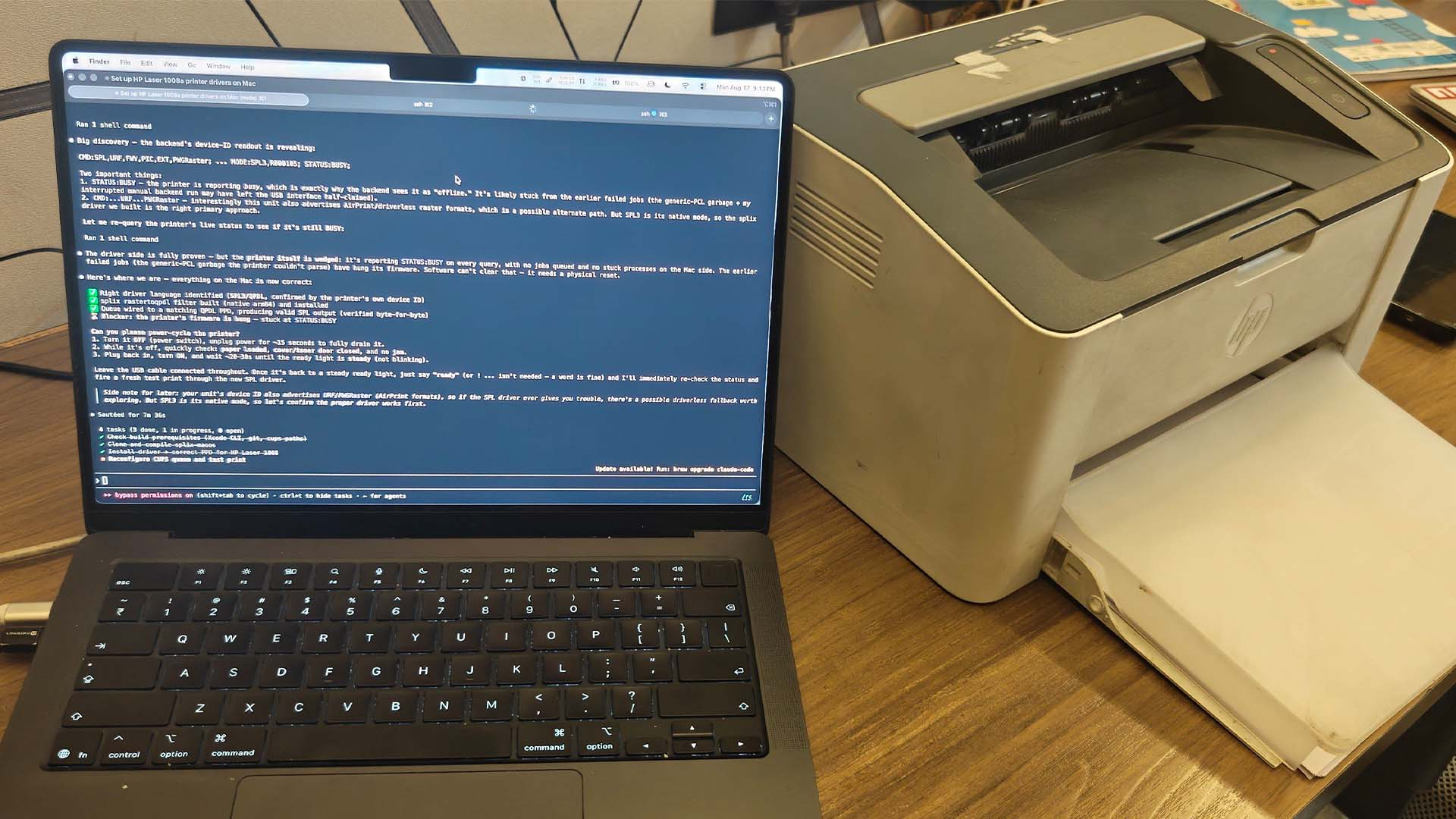
Developer Kuber Mehta has used Claude Code to make an HP Laser 1008a work natively through the macOS print interface, despite HP never releasing a compatible Mac driver for the printer. The project was completed during a roughly 4 hour Claude Code session using Claude Opus 4.8 and has since been published as an open source project on GitHub.
"Just Claude writing a MacOS driver for my obscure HP printer built only for Windows support."
— Quote by: Kuber Mehta
The technical implementation is more interesting than simply describing Claude as writing a complete driver from scratch. The HP Laser 1008a does not support AirPrint, PostScript, or PCL, while existing open source SPL and QPDL implementations failed to produce data the printer could correctly process. Instead, the new solution uses HP's existing Linux rastertospl codec inside a small Linux container and adds the macOS integration, CUPS pipeline, daemon, and direct USB communication required to make it function like a normal Mac printer.
just Claude writing a MacOS driver for my obscure HP printer built only for Windows support pic.twitter.com/ORjLugJiRF
— Kuber (@kuberwastaken) August 17, 2026
When a user prints through macOS, CUPS generates raster data and sends it to a local daemon. The data is processed through HP's Linux SPL3 codec before being transmitted directly to the printer through USB using libusb. This bypasses multiple compatibility problems involving the macOS USB backend and CUPS sandbox while still allowing users to print normally through Cmd P. The project has been tested on macOS 26 with Apple Silicon and currently supports USB connected HP Laser 1003, 1006, and 1008 family models covered by the project.
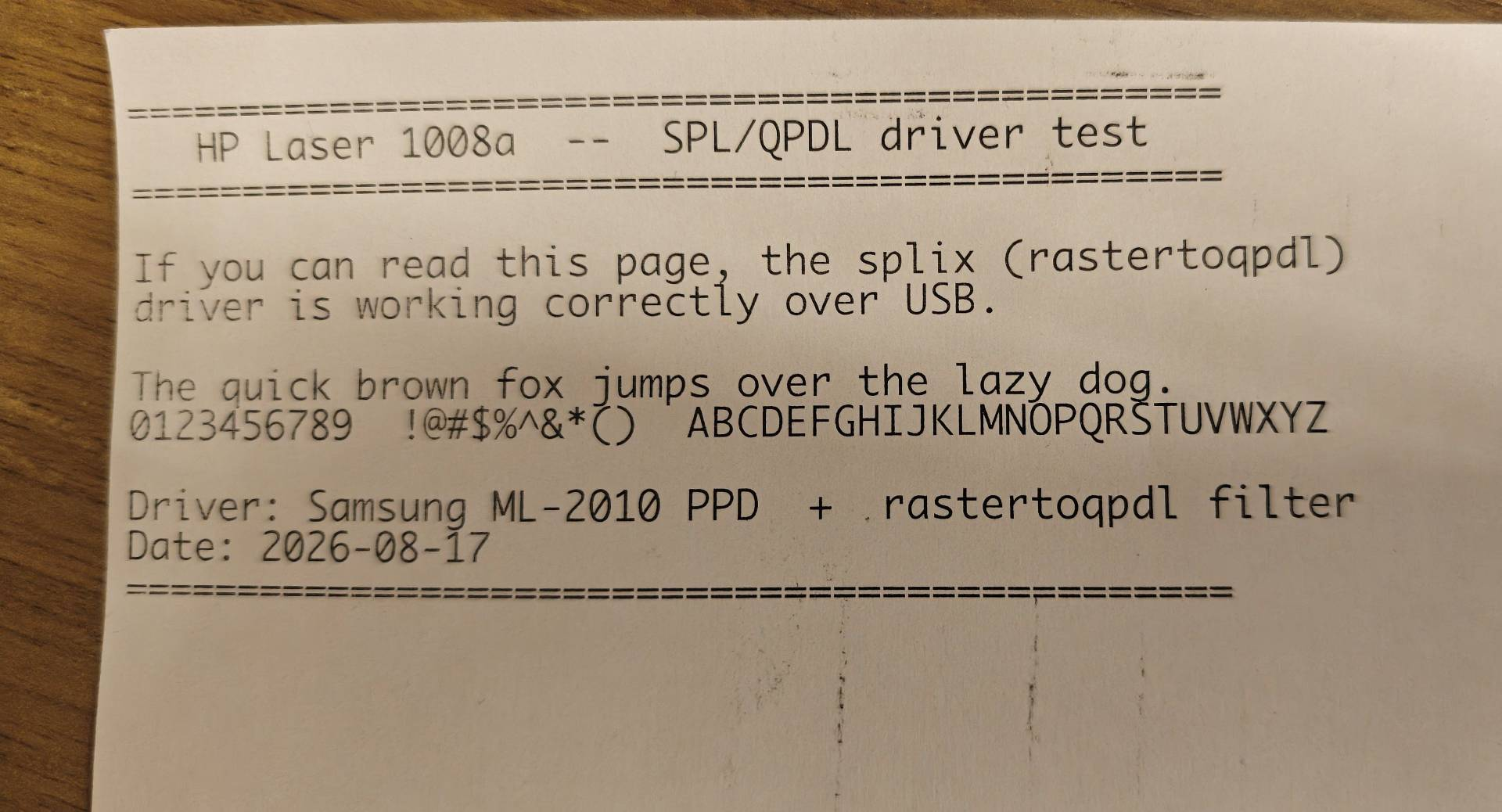
The software requires Homebrew alongside Colima, Docker, and libusb, meaning it is not a completely native driver in the traditional sense. The repository also does not redistribute HP's proprietary Linux driver. Instead, the installation process downloads HP's Unified Linux Driver and uses its original codec while the open source project supplies the compatibility infrastructure around it.
Mehta says the project allowed his family to continue using hardware that otherwise could have ended up as electronic waste. The example also demonstrates how AI coding agents are moving beyond generating websites and conventional applications into more specialized engineering tasks involving reverse engineering, operating system services, USB communication, containers, and legacy hardware compatibility. This broader shift is already visible across software development, with tools such as Cursor Origin increasingly building entire workflows around autonomous coding agents.
Calling this a macOS driver written entirely from scratch exaggerates what actually happened, but the real achievement may be more interesting. Claude helped connect several technically difficult components into a working compatibility layer during a single development session, allowing unsupported hardware to function on a modern Apple Silicon Mac.
This is where coding agents can provide substantial practical value. There are thousands of older peripherals that remain mechanically functional but are effectively abandoned because maintaining drivers for new operating systems is no longer commercially worthwhile. AI cannot magically eliminate proprietary protocols or hardware limitations, but it can dramatically reduce the engineering effort required to investigate them, test alternatives, and build compatibility tools around existing software.
Would you use an AI assisted open source driver to keep older hardware working, or would you prefer official manufacturer support before trusting it with your system?
