
Microsoft has introduced Cloud Rebuild, a new Windows 11 recovery feature that allows users to reinstall the operating system directly from the internet, even when Windows is too damaged to boot normally. Released through the October 28, 2026 optional update KB5127936 for Windows 11 versions 25H2 and 26H2, the feature downloads a fresh Windows installation alongside compatible device drivers, eliminating the need for a bootable USB drive or previously prepared recovery image. According to Microsoft's official announcement, Cloud Rebuild is being introduced gradually, meaning availability may vary between eligible PCs.
Unlike the existing Reset this PC functionality, Cloud Rebuild operates through the Windows Recovery Environment (WinRE) and retrieves both Windows installation files and hardware drivers directly from Windows Update. This allows the recovery process to function independently of damaged system files, making it particularly useful when traditional repair methods fail. Users can initiate the procedure through Settings > System > Recovery > Rebuild PC while Windows is operational. If the computer cannot start, WinRE can automatically appear after repeated boot failures, allowing users to access Cloud Rebuild through the troubleshooting menu.
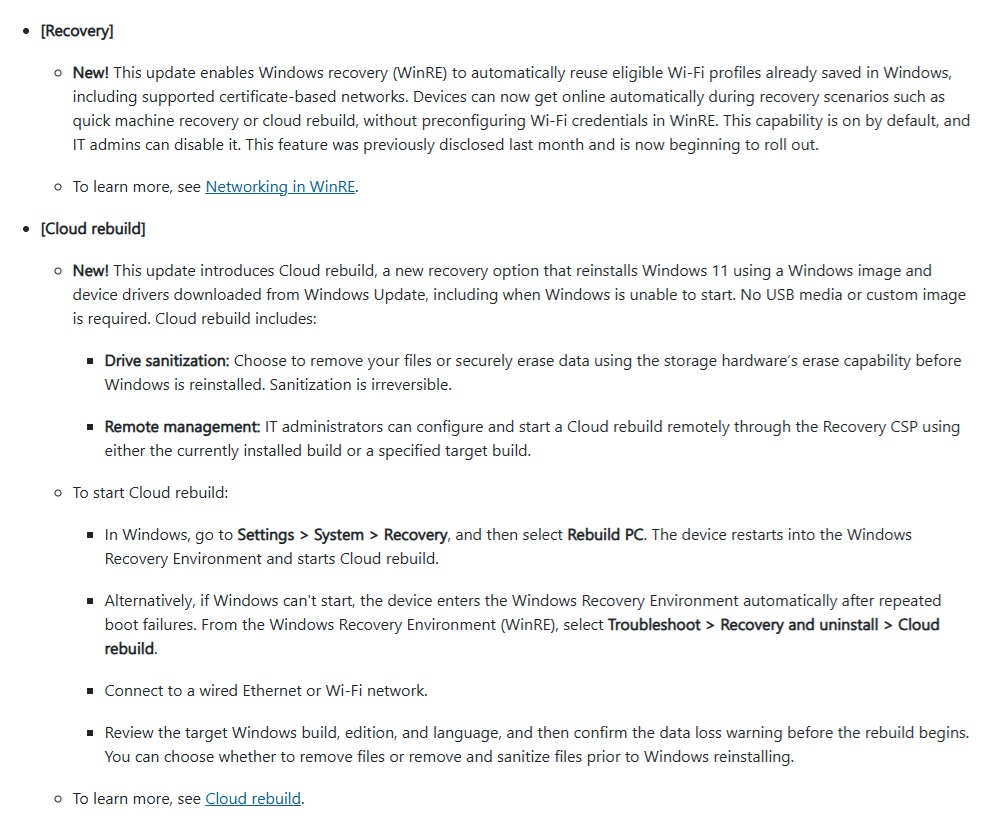
Once activated, the system establishes an internet connection through Ethernet or WiFi, downloads the required installation resources, and allows users to review the Windows version, edition, and language before proceeding. Microsoft has also improved WinRE networking, enabling compatible devices to reuse previously saved WiFi profiles, including supported certificate based connections. However, the recovery environment must remain functional, and compatible networking drivers must be available for the process to work.
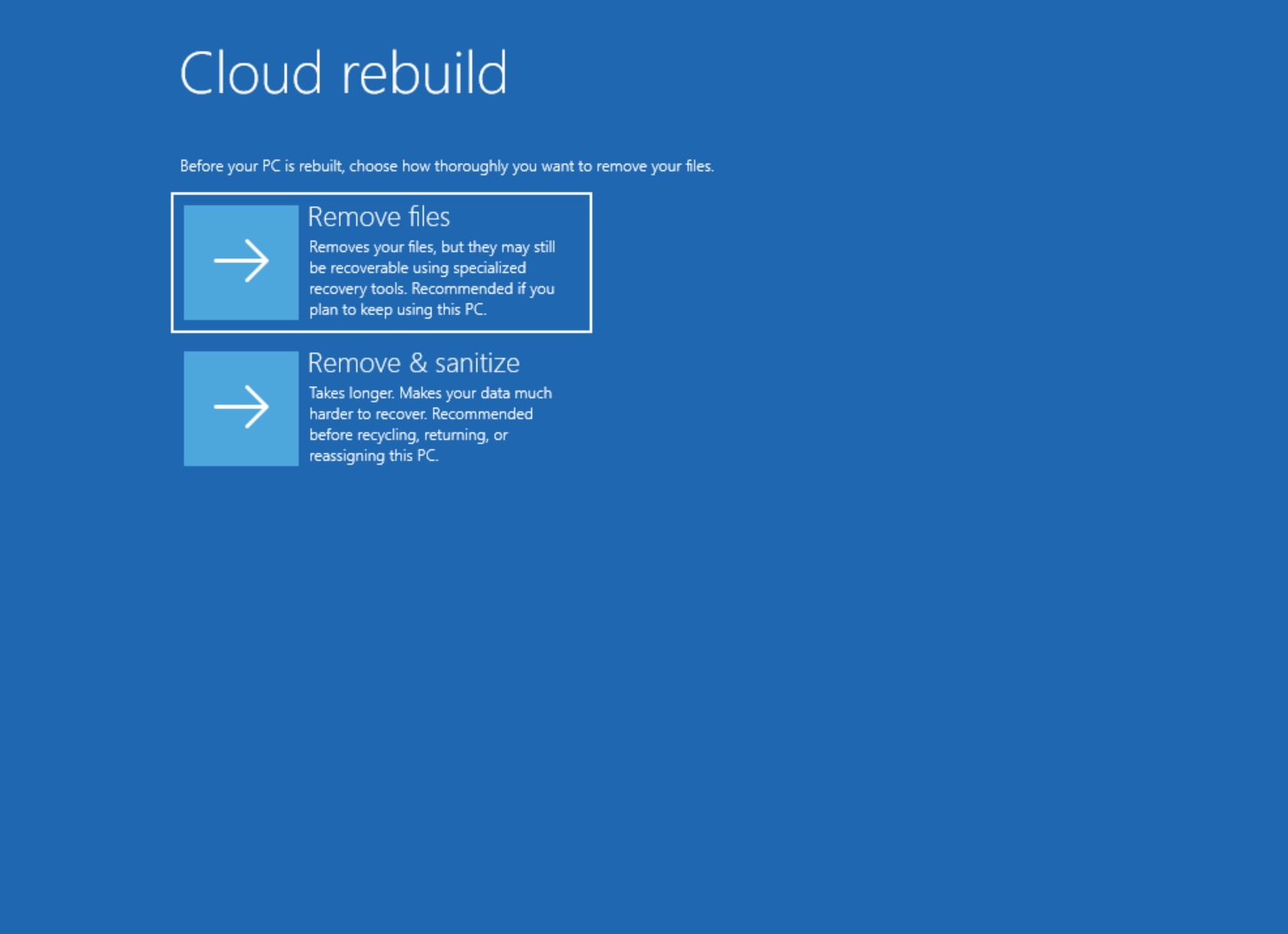
The most important limitation is that Cloud Rebuild completely removes locally stored personal files, applications, user accounts, and settings from the Windows installation. Unlike Reset this PC, it does not offer an option to preserve personal files. Microsoft provides 2 removal methods: a standard file removal process intended for users keeping their computers, and a more thorough hardware assisted sanitization option designed for devices being sold, recycled, or transferred to another owner. The latter can also erase additional selected drives and cannot be reversed.
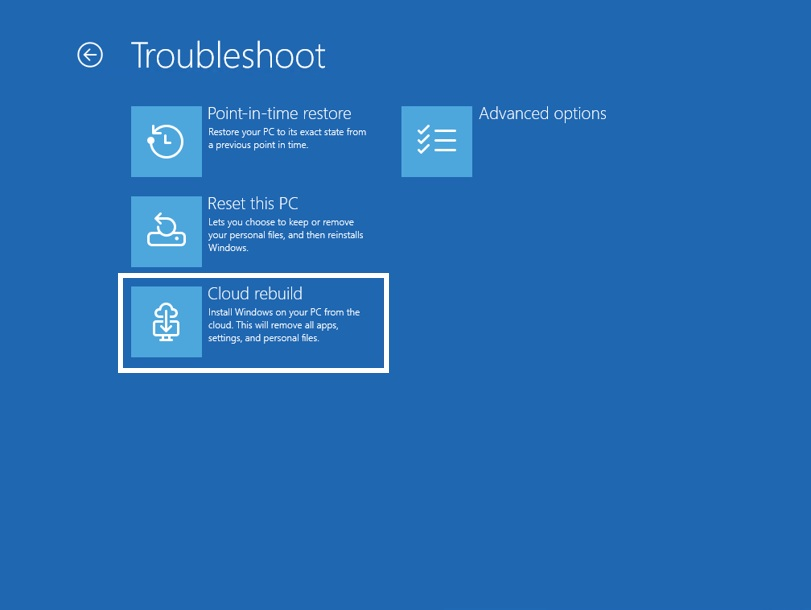
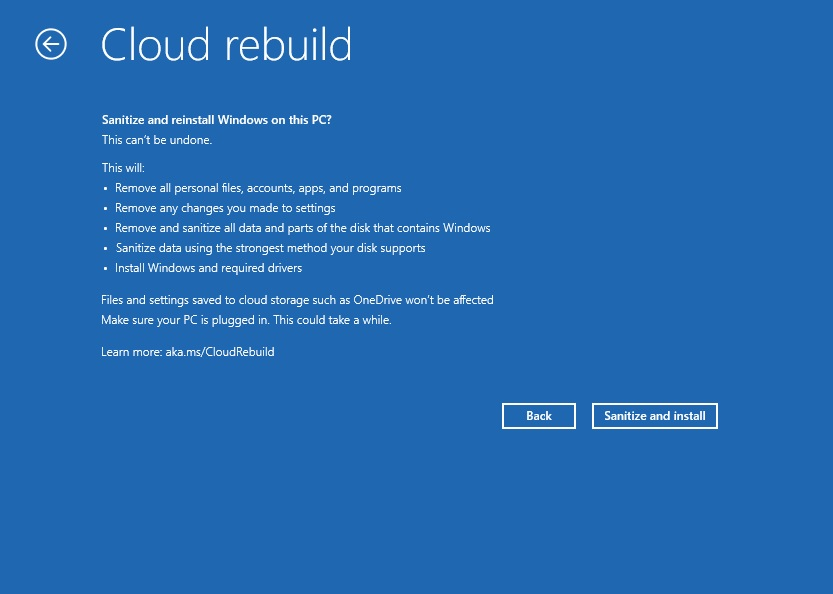
Windows 11 Recovery Options Compared
| Feature | Reset This PC | Cloud Rebuild |
|---|---|---|
| Reinstalls Windows | Yes | Yes |
| Cloud Download | Optional | Required |
| Downloads Device Drivers | Limited by recovery method | Yes |
| Works Without Normal Windows Startup | Yes, through WinRE | Yes, through WinRE |
| Can Preserve Personal Files | Yes | No |
| Requires Internet | For cloud download | Yes |
| Requires USB Installation Media | No | No |
| Hardware Data Sanitization | No equivalent dedicated option | Yes |
Cloud Rebuild also introduces benefits for enterprise environments, allowing administrators to remotely initiate recovery through Microsoft's Recovery Configuration Service Provider. Compatible devices managed through Windows Autopilot and Microsoft Intune can automatically reconnect to organizational management systems after reinstalling Windows, reducing the time required to restore business computers.
Despite these improvements, the feature does not eliminate the importance of traditional recovery methods. A damaged recovery environment, unsupported networking hardware, or unavailable internet connection can still prevent Cloud Rebuild from operating. Users should therefore maintain external backups and recovery media, particularly when working with important documents, gaming installations, locally stored projects, or other files that cannot easily be replaced. Microsoft's official recovery documentation recommends considering less destructive repair options before performing a complete rebuild.
Cloud Rebuild is a welcome improvement for PC owners, particularly enthusiasts who frequently troubleshoot Windows installations, upgrade hardware, or maintain multiple gaming systems. Being able to recover a computer without preparing a USB installer on another machine could make system recovery considerably more accessible.
However, the inability to preserve personal files represents a significant limitation. For gamers and developers, reinstalling Windows can mean losing locally stored game saves, custom configurations, application data, and development environments. Microsoft's recovery tools should prioritize protecting user data whenever possible rather than making complete data removal the only available option.
Would you use Windows 11 Cloud Rebuild to recover a broken installation, or do you prefer keeping a bootable USB drive and handling Windows recovery yourself?
